
Where it was dreamed
Places are approximate: each dream appears within about 10 km of where it was shared, never at an exact address. See it on the dreamer map
Dream symbols
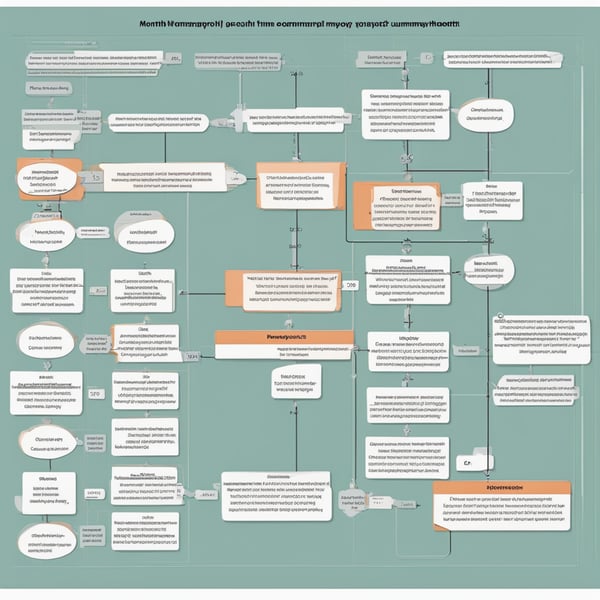
- The process must include the comparison of the individual timesheet and the summary timesheet (at the record level based on the unique key, as well as in terms of descriptive data). A notification should be sent regarding mismatched data, showing where the discrepancies occur. Whether this occurs at the beginning of the process or after point 10 is up to István's decision. We would like to see on the flowchart where each source is located. - At point 11, a dashboard is needed that shows, filtered by client, how much work has been done compared to the allocated hours (Box 1: client, allocated hours, consultants separately, consulting hours; Box 2: the consultant's hours broken down by day). The interface should allow selection of which source to work from (individual vs. summary). - At point 11, notifications should be sent for any discrepancies (if we work fewer or more hours than allocated). - At point 11, it should be possible to see how we are doing in terms of accumulated allocated hours and timesheeted hours (this could be Box 3). - The process must be supplemented by preparing the client timesheets. This should take place after verification, sent with Kinga's non-sent emails, as an attachment in the Excel format. Initially, this can work by generating it in a designated drive folder by Sárika, which Kinga can then review. @Gabriella Kinga Molnár please send a few emails about how you typically send them. - The process must be supplemented by uploading the payroll Excel sent to accounting (drive document). Kinga can verify this. - The process needs to be supplemented by preparing the TIGs (for now, this is not a primary scope, but it should be included in the process). ### Month-end Closing Process Description 1. **Consultants' Monthly Work** When processing the consultants' timesheets, the first thing I do is send them an email at least one week before the last day of the month, in which I state when they should close the timesheet and ask them to notify me when they are ready. This date is generally the last day of the month. If the end of the month falls on a weekend, I request them to close it by Friday since there is no work on weekends. Another exceptional case when I request an earlier closing is when a holiday or long weekend affects it. In these rare cases, I consult with Zsolt what date we need the timesheet ready by. If an earlier closing than the last working day is necessary, the request is to fill it out in advance. For the consultants, I first review their daily timesheet based on the following criteria: I. Individual Timesheet Verification: 1. How many official working days are there in the month? N 2. What percentage of a person: How many days is the person's (weekly or monthly) contract? Weekly 5 or weekly 3? – Taken from Peti-Kinga's table 3. Expected hours (expected): Is the average equal to N x 8 x contracted %? 4. Billable hours (bh), non-billable hours (nbh), and leaves (vih) = the expected hours? 1. If not, then there is an error, they did not work or it was booked incorrectly. 5. Is there something written for every day? 6. Verification of absences? Is the quantity accurate? 1. Employees 1. Is the vacation amount approved? Is it in the leave table? It must also be submitted to accounting for processing. 2. In the case of illness absences: do they have a sick pay paper? b. Subcontractors (billable and contract-based) 1. Is the vacation amount approved? Is it in the leave table? It does NOT need to be submitted to accounting. 2. We do not examine sick leave, just if it is documented. 7. Is non-billable too much? The allowance is 1 hour a week; if there is a discrepancy, it should have been pre-approved by DM. – Indicate as a discrepancy and DM will review and approve (the dashboard should show: date, quantity, task description, activity type client). 8. Verification of billable hours . E.g. we know that Allianz ordered 3 working days a week, so we want to utilize this but not exceed it. – indicate discrepancies, DM checks approval – a table is needed for how much volume was ordered for which client? • Is every day fully filled out (time interval, activity type, client)? • Considering all working days of the given month, did the relevant consultant work every day? For example, if there are a total of 20 working days in a month, does the employee actually have 20 worked days? The exception is obviously if the individual was on vacation but they must also maintain this in the timesheet. • If the above two points are met, I check the timesheets for hour amounts. The timesheet automatically classifies the given day's activity as either billable or non-billable based on the activity type. I then look at how many total hours were completed in that month and how they’re divided among billable and non-billable hours. Vacations must be entered as "vacation," which will show up in the non-billable (leaves) category if the employee was on vacation that month. • The hours then get filtered according to which client’s hours were completed by the given consultant. • If the previously described figures match, the "new consultant timesheet xy" verification is complete. II. Afterward, the timesheet maintained by the consultant must be compared with the "Sprint Summary" table. – it must match the new consultant timesheet 100%. • The data from the consultant's timesheet gets entered into the summary tab of the table, so the two tables must match based on this data. The same criteria apply in the summary tab from the consultant's perspective. • I filter the data from the table by selecting the respective consultant and the current month. • Then I check if every working day is present in this table as well. After which, I also check the total hours worked which I then filter into billable and non-billable hours. • The final point is also checking the data filtered by client. If the data from both tables match on all of the criteria described above, then the processing of the consultant's work can be considered ready for consultation with Zsolt and can then be sent to payroll. In which the AI assistant could provide a lot of help, I think: • Checking the new consultant's individual timesheet. • Comparing the two tables based on the above criteria. • Checking the number of working days for the given month. • Verifying that all data has been transferred from the consultant's timesheet to the summary tab. • If the assistant detects any errors, it should send an email to the specified addresses listing the problematic items, and I only need to review those items to determine what caused the error. • I think it would also be great to have a feature that allows me to issue a command to have the assistant double-check if any issues remain after correcting the error messages. III. Preparing the accounting, payroll spreadsheet 2. Payroll-related information • I usually prepare two spreadsheets for payroll. • One contains the monthly work hours of our performance-based employees broken down into 3 parts. Billable / non-billable / non-billable (leaves). • I typically copy this data from the summary tab of the Sprint Summary table after reconciling the two tables mentioned above. I will upload a sample table to our folder now, still without data, so that the format can be seen. • The second table contains all active employees, including contract employees. I will also upload a sample table without data, which will also be transparent in its format. This will include records of vacations, and should there be any additional pay needed, it will also include the hours for contract employees each month. • Regarding the vacations, there is a table accessible to all employees which can serve as a source for the assistant for filling out. In which the AI assistant could provide a lot of help, I think: • In the case of the performance-based workers' table, filling the payroll spreadsheet with the appropriate data. • For the all-inclusive employee table, my initial idea would be to have an option where I could verify the table I filled out with the assistant to ensure everything matches. • For the vacations, it would compare my entered data against the sprint vacation table, and for contract employees, it would compare the number of hours I’ve input with the hours recorded in their timesheets. • If no errors are found, then I can send it for payroll; if any errors are found, it sends the previously mentioned email, and I would check again with the assistant after making corrections. IV. Preparing client timesheets from the summary 3. Closing client timesheets, invoicing process For clients, our source spreadsheet will again be the Sprint summary table. For this purpose, I currently use the tab named "Project timesheet." This is a pivot table from which I usually download the relevant data for the respective client by applying the appropriate filters, using which I create the client timesheet. In the pivot table, I filter based on the following criteria: • Client - I select only one. • Month - The current month is selected. • Date - Set to show all data every time. • Billable/Non-billable - I filter only for the billable items since this timesheet serves as the basis for invoicing, excluding any non-billable items. • Consultant - I select the consultant working on the project. There may be instances where multiple consultants are working simultaneously on the same project; in that case, only one consultant will be selected at a time. After I have requested the data from the pivot table based on the filters above, I copy this resulting table into an empty Excel sheet and save it named appropriately in the respective client's folder in the right location. If multiple consultants are working on the relevant project, I copy the relevant data into separate worksheets within the Excel document, naming the worksheets after the respective consultants. To make the format visible, I will also upload a sample of this. The completed client timesheet summarizes the hours based on the copied data, calculates the days worked, and based on the entered daily rate, the amount to be invoiced. Once this is completed, I download the drive document into an XLS file from which certain columns will be deleted since they are not part of the timesheet sent to the client. The downloaded XLS file is emailed, accompanied by a performance confirmation (the format of which varies, as it must sometimes be filled out according to the client’s official form, while at other times, we send our own prepared draft). The invoice can only be prepared once the client timesheet has been accepted and the accompanying performance confirmation has also been signed and returned by the client. At this point, I create the invoice in the invoicing software, which I send to the appropriate email address. In which the AI assistant could provide a lot of help, I think: • It could compare the client timesheet prepared from the requested and copied data from the pivot table against the timesheet maintained by the consultant to see if all data matches. • If any errors are detected, it could send the previously mentioned error list via email, which I would review item by item before sending to the client. • I believe the most efficient way to perform the verification and any error list dispatch would be to issue the command to the assistant before I download the drive Excel sheet into the XLS file, as this way, we could save time. Essentially, these are the activities related to month-end closing and payroll that need to be completed and processed regularly at the end/beginning of each month. V. Client Timesheet Verification: 1. The client timesheet must sum the hours of the consultants working there but broken down by consultant. 2. The new consultant timesheets filtered by employee and client must match the client timesheet. 3. The recorded hours must not exceed the ordered hours: a. Cumulatively – looks at the customer and sums the hours booked in the past and this current timesheet for that client – any discrepancies should be explained. b. For the given month (e.g., if Allianz has ordered 3 days a week, then in a month of 4.5 weeks, there should be 4.5 x 3 = 13.5 days) – discrepancies should be justified. VI. Preparing the TIG 1. We provide a GDocs TIG template for each client. 2. Generates the TIG from the client timesheet with mathematical elucidations. VII. The office manager prints and/or copies and attaches the relevant part of the client timesheet and prepares a draft email (with recipients) and only needs to press the send button.
It seems that you've included a detailed description of a process involving timesheets, payroll management, and customer invoicing, but it doesn't directly relate to a dream for interpretation. If you have a specific dream in mind that you would like to interpret, please provide the details of that dream, and I would be happy to help you analyze its potential meanings and insights.
What did you dream?
Interpret Dream